Billing & Payments ModuleTake control of student fees, invoices and payments without another spreadsheet
Kinderpedia's Billing & Payments module gives financial teams in schools and kindergartens a single platform to automate tuition plans, issue invoices, track payments, reconcile bank statements and generate financial reports. No more fragmented tools, manual reminders or month-end scrambles.

Used by 2,000+ schools and kindergartens in 40+ countries to simplify school-side billing and collections.
Saved per week, per finance team
Schools and kindergartens
Countries with active deployments
Additional card payment commission
The problemMonth-end billing shouldn't depend on copy-paste
Most schools still run finances across a patchwork of Excel files, accounting tools, payment processors, bank portals, email threads and parent messages. The result is the same set of problems every single month.
Tuition plans calculated by hand
Spreadsheets, invoices issued one at a time, and payments checked across three or four systems. Discounts, deposits, subsidies and penalties slip through the cracks.
Bank transfers take detective work to match
Reconciliation by eye across CSVs and bank portals. Payer names rarely match invoice records, and missing client codes mean the team is hunting line by line.
Reports eat half a day to assemble
Parents call the office because they can't see where they stand. Leadership waits until month-end to know what was billed, paid, overdue or coming next.
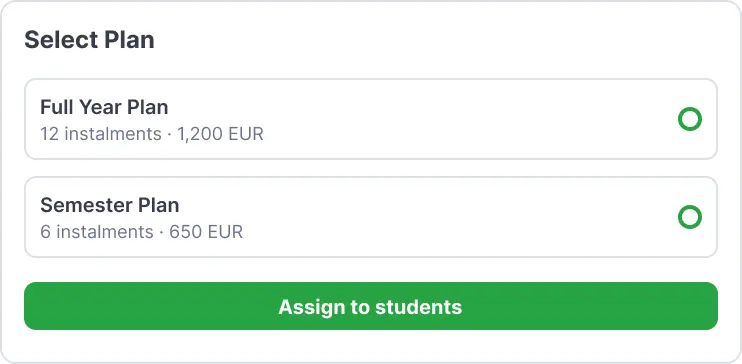
Kinderpedia pulls the entire student fee workflow into one place, so your financial team works faster, with fewer errors and full visibility over what’s billed, paid, overdue and coming next.
What you getEverything your finance team needs to manage student fees with confidence
Automate tuition plans
Create recurring, annual or termly billing plans. Set contract values, define instalments, add enrolment fees and assign plans to individuals or in bulk.
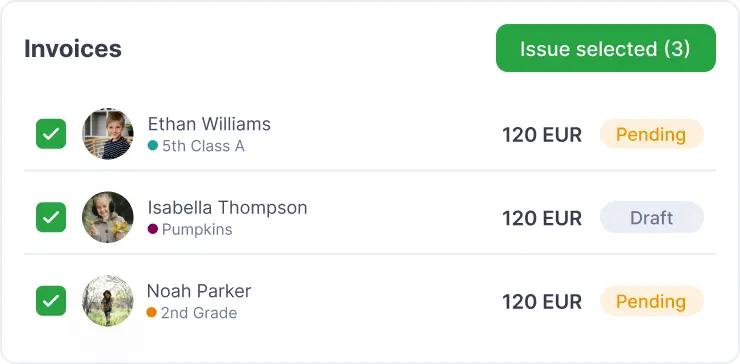
Issue invoices faster
Generate pending invoices automatically, review them before they go out, issue individually or in batches, and send parent notifications from the platform.
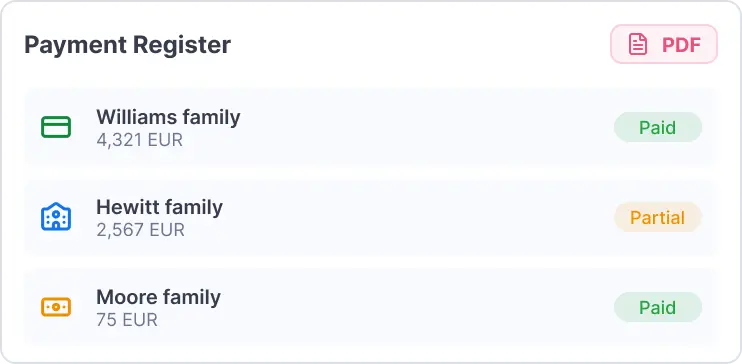
Track payments in one place
Register cash, card, bank transfer or deposit payments. Track partial payments, view unpaid and overdue invoices, keep every family's history current.
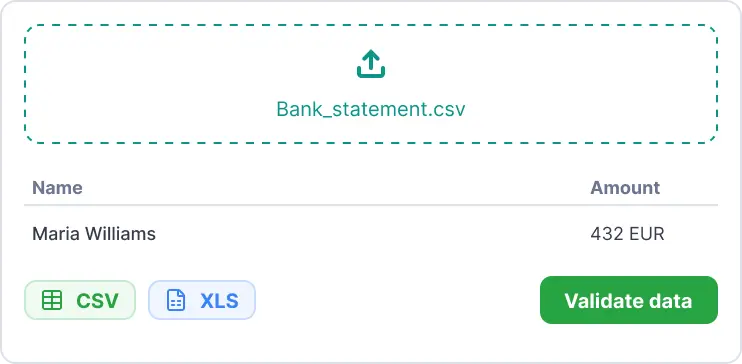
Reconcile bank transfers without the guesswork
Import CSV or XLS bank statements and let Kinderpedia match transactions using client codes, invoice numbers, amounts or payer names.
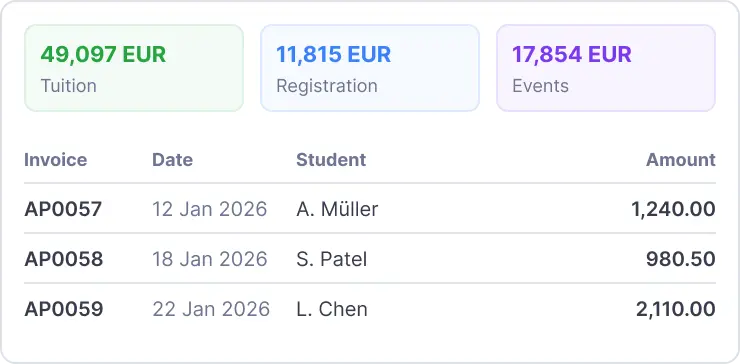
Generate reports on demand
Download Sales Reports, Income Reports and Family Balance exports in PDF, CSV or XLS — filtered by date, company, class, invoice status or payment type.
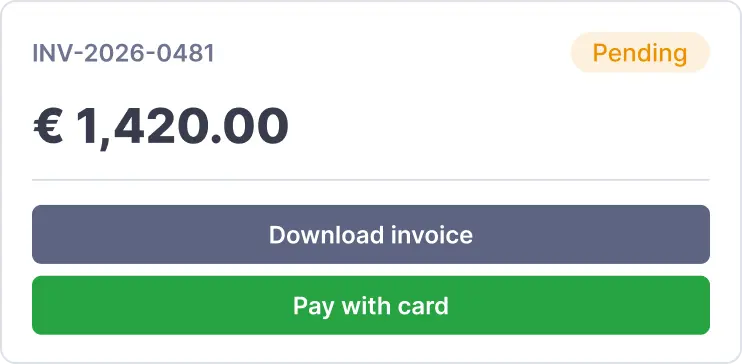
Give parents financial transparency
Parents receive invoices in the app, download them when needed and pay online through supported integrations like Stripe.
Why it mattersBuilt for the real financial rhythm of a school
Financial teams don’t just need invoices. They need predictability. Kinderpedia gives you a running view of what’s been billed, what’s been paid, what’s overdue, what’s coming next and where action is needed — without waiting for month-end to piece it all together.
The payoff
- ✓Shorter payment cycles
- ✓Cleaner records, fewer manual reconciliations
- ✓A clearer picture of your institution’s cash flow
- ✓Fewer parent calls about invoice status
Feature workflowFrom tuition plans to reports - one connected workflow
01Configure your billing structure
Add billing companies, define invoice and receipt series, set currency, due dates, penalties, parent notifications and billing rules.
02Build flexible billing plans
Create recurring or termly plans with fixed or variable pricing. Layer in discounts, VAT, deposits, subsidies and extra products — meals, transport, activities, events.
03Personalise where needed
Assign plans to all students, specific classes or individual families. Adjust billing for special cases without disrupting the structure for everyone else.
04Issue and manage invoices
Generate invoices automatically or manually. Review pending invoices, edit details before issuing, bulk-issue and manage unpaid or overdue items from one list.
05Track every payment
Record full or partial payments, allocate to the oldest outstanding invoice, apply family deposits, issue receipts and identify Stripe payments in the Income Report.
06Export financial data
Download family balances, sales reports and income reports whenever you need them — for internal review, accounting handoff, forecasting or year-end close.
InvoicingGenerate, review and issue invoices in batches
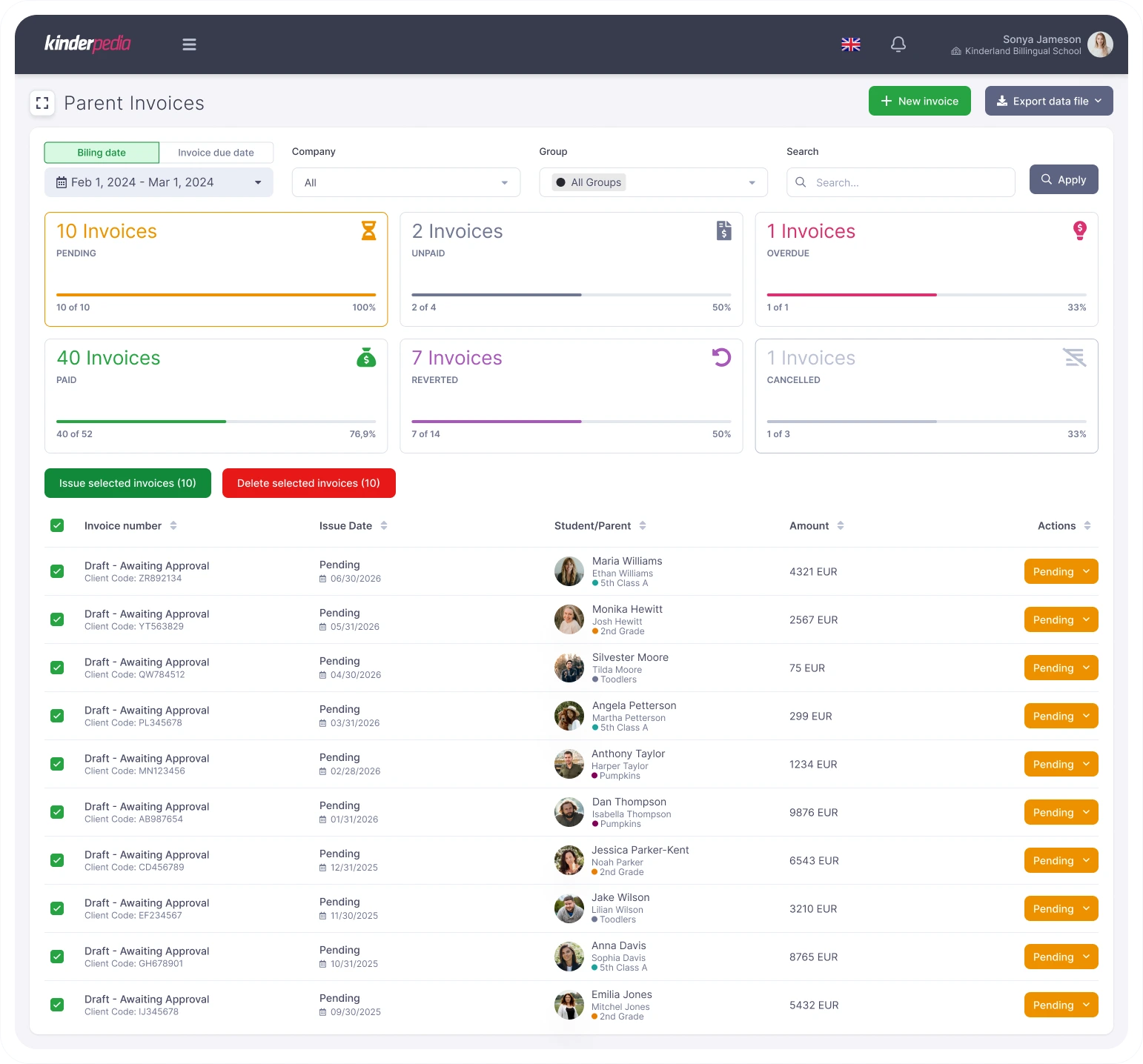
Pending invoices are drafted from your billing plans. Your team reviews, edits, and issues them individually or in bulk - with parent notifications going out automatically.
- ✓Auto-generated pending invoices, reviewed before issue
- ✓Bulk issue with one click; edit details before sending
- ✓Invoice and receipt series per billing company
- ✓Automatic or manual parent notifications
TODO: replace with real product screenshot in images/viata-mea/
ReconciliationImport a bank statement. Watch transactions match themselves.
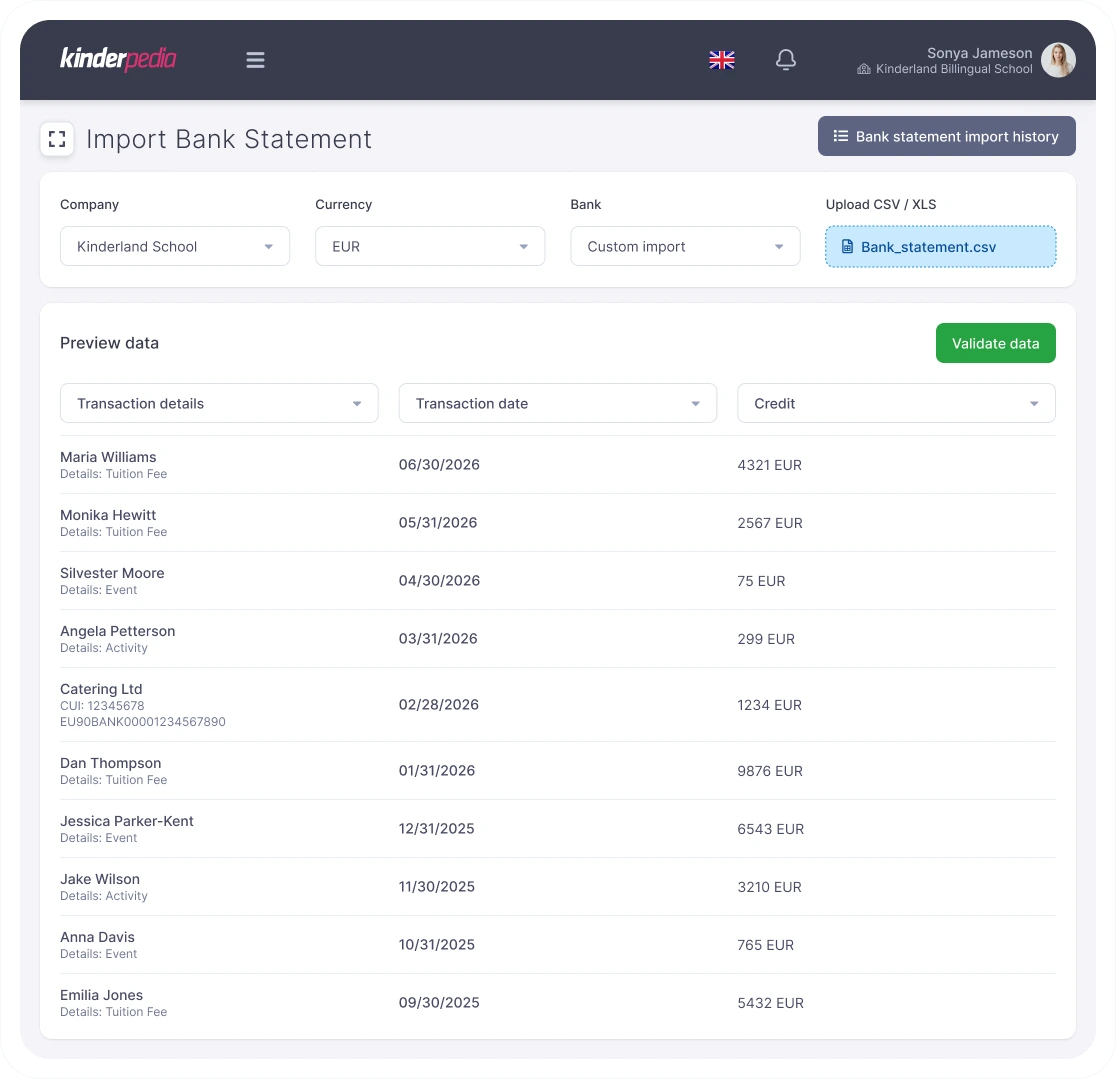
Upload CSV or XLS files from your bank. Kinderpedia matches each transaction to outstanding invoices using client codes, invoice numbers, amounts and payer names. Your team only intervenes on the exceptions.
- ✓CSV and XLS bank statement import
- ✓Auto-match via client code, invoice no., amount or name
- ✓Review queue for unmatched transactions only
- ✓Partial-payment handling with oldest-invoice allocation
Reports & exportSales, Income and Family Balance exported in 2 clicks
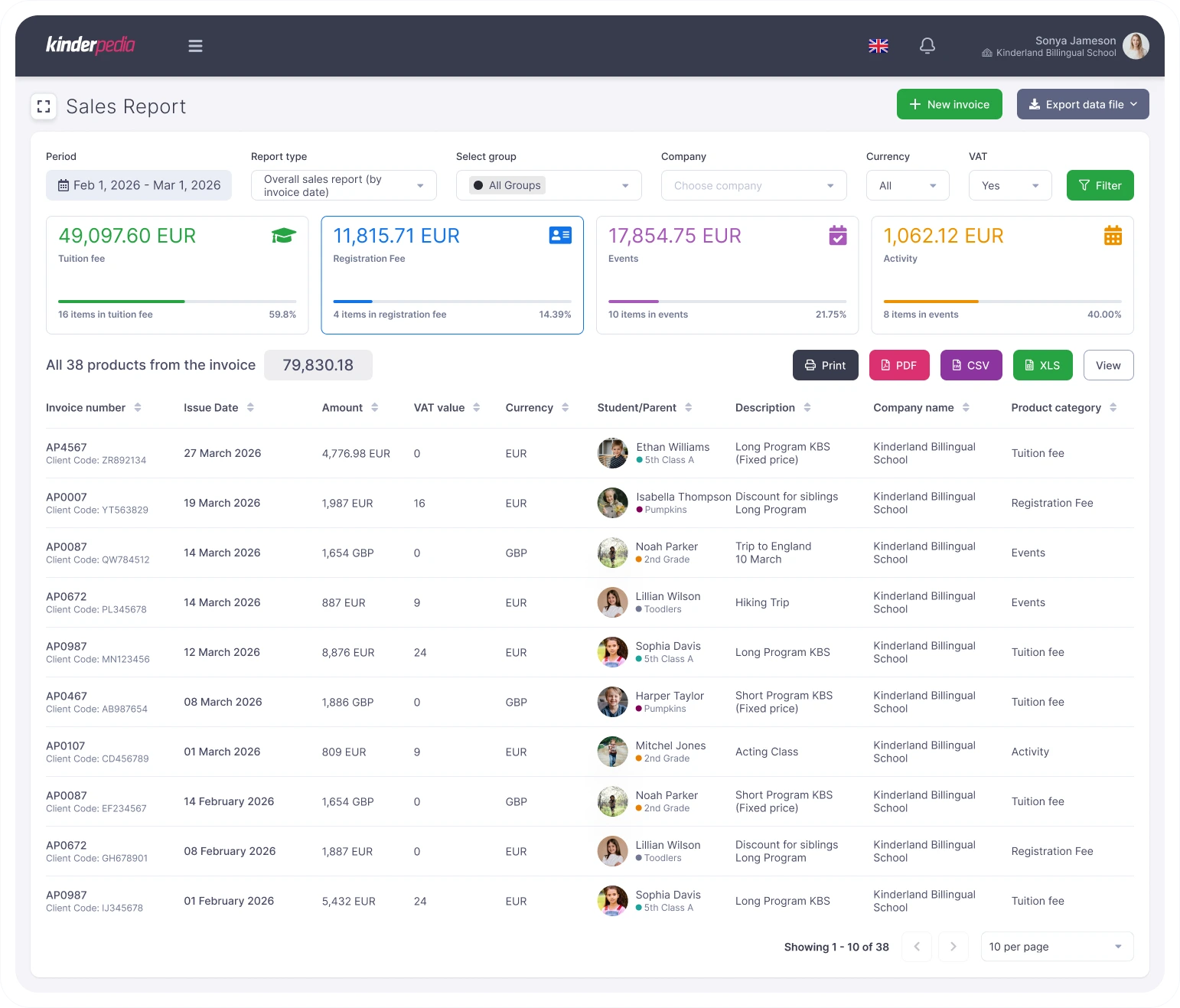
Filter reports by date, company, class, invoice status or payment type. Export to PDF, CSV or XLS to share with leadership, hand off to accounting or feed into year-end close.
- ✓Sales, Income and Family Balance reports
- ✓PDF · CSV · XLS export formats
- ✓Filter by date, class, billing company, status
- ✓Chart-of-accounts mapping for accounting handoff
TODO: replace with real product screenshot in images/viata-mea/
Built for the team that runs the numbersFor financial managers, accountants and school leaders who need accuracy, speed and control
Financial managers
A clear overview of billed amounts, collected payments, overdue invoices, upcoming revenue and family balances — without chasing data across systems.
Avg. 6–9 hrs saved per week on invoicing & reconciliation
Accountants
Structured products and categories, exportable reports and chart-of-accounts mapping that feed directly into workflows with SAGA, WinMentor, SmartBill Conta or similar tools.
Direct CSV/XLS export · COA mapping per product
School leaders
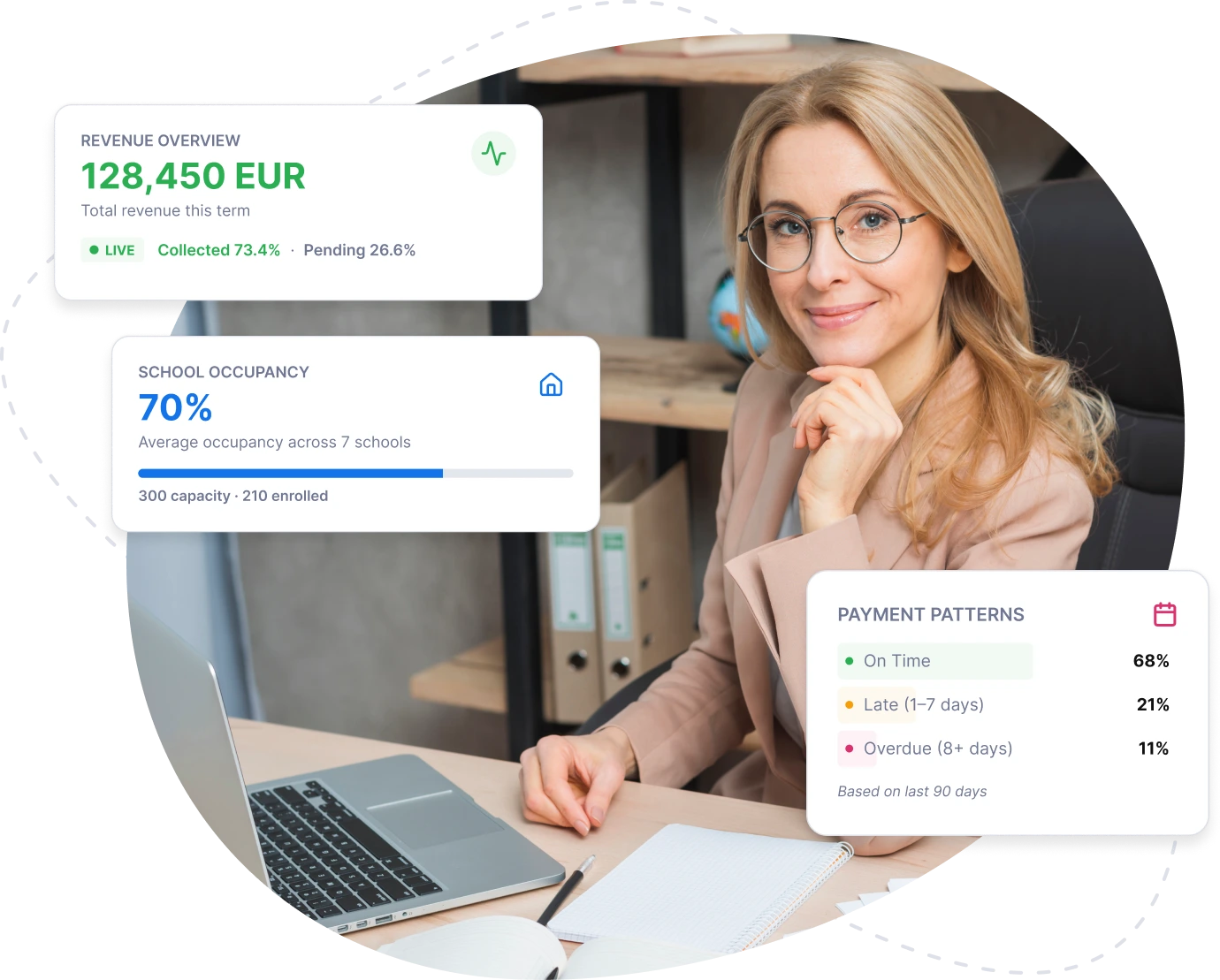
Visibility into revenue, occupancy, tuition plans and parent payment patterns — without asking the finance team to manually compile every update.
Live dashboards · No more month-end-only reporting
From our customersWhat finance teams say after switching
It was such a relief to have everything organised in one place, have bills go out with a click, and have the app calculate my costs automatically based on attendance, meals or transportation options.
Bank reconciliation used to take a full day every month. Now it’s done before our morning coffee.
Before vs With KinderpediaReplace fragmented tools with one financial workflow
Many schools currently stitch together Excel, SmartBill, FGO, SAGA, Netopia, PayU, QuickBooks, Xero, bank portals, email reminders and manual parent follow-ups. Kinderpedia centralises the school-side billing workflow before the data reaches accounting.
Before Kinderpedia
With Kinderpedia
Technical trustPowerful enough for complex billing. Simple enough for daily use.
Kinderpedia handles the financial details schools actually work with.
IntegrationBilling doesn't happen in isolation
Kinderpedia connects financial management with the daily operational flow of your institution. Attendance, activities, events, parent communication, student records and billing all live in the same platform — fewer duplicate entries, fewer disconnected tools, a smoother experience for staff and families alike.
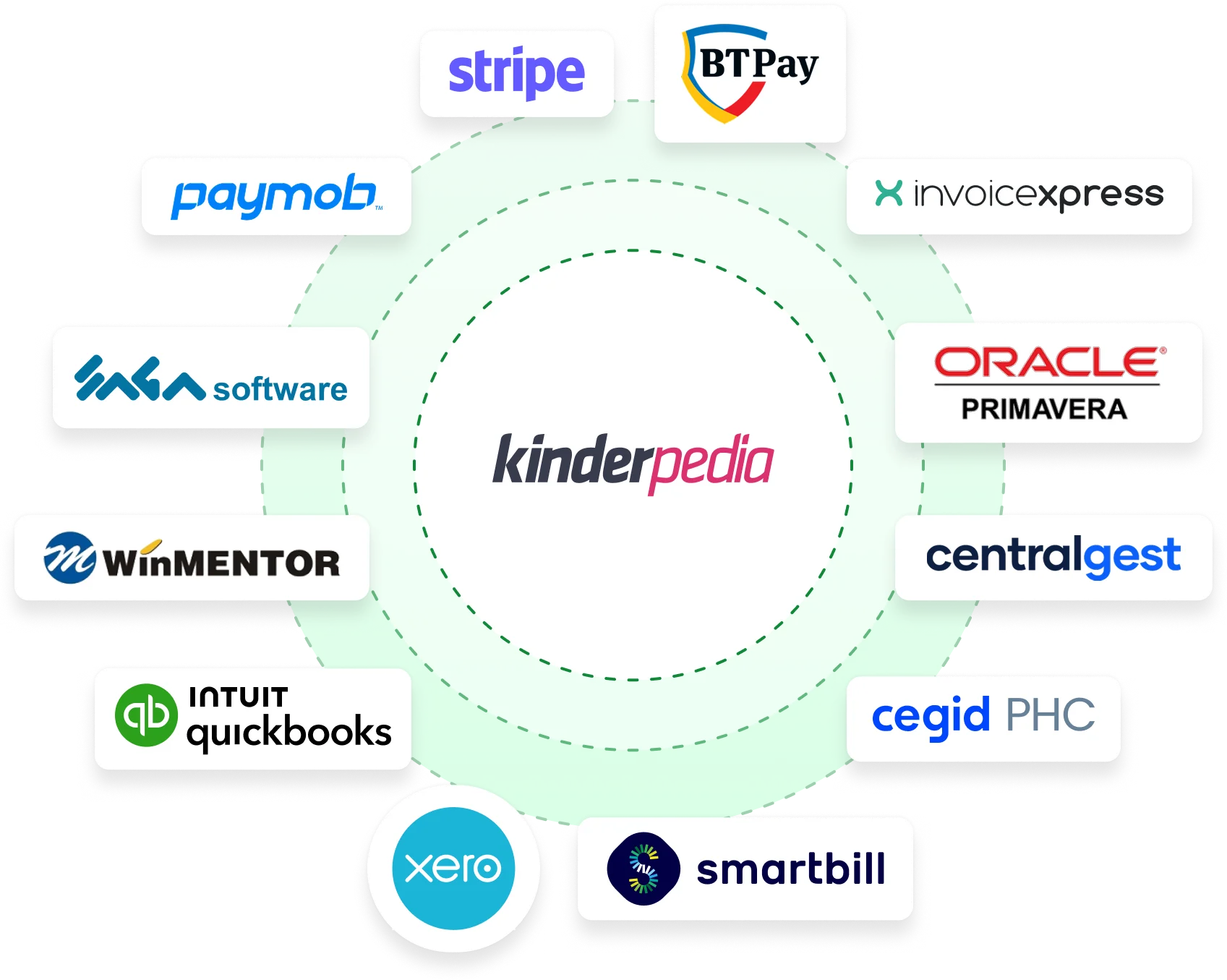
- ✓SIS, SSO, third-party tools and API access
- ✓CSV / XLS exports with chart-of-accounts mapping for SAGA, WinMentor, SmartBill Conta
- ✓Onboarding support from the Kinderpedia team
Billing
Security & reliabilitySecure, reliable and built for education
Kinderpedia runs on Microsoft Azure infrastructure and is designed for secure, scalable, GDPR-aligned school operations. The platform includes role-based access control, encryption, regular updates and proactive monitoring — a stable environment for sensitive educational and financial data.
During implementation, Kinderpedia provides personalised setup, staff training, tutorials and ongoing support so your team starts the module with full confidence.

Why not just a spreadsheet?School-side billing, done properly
Kinderpedia doesn't necessarily replace your accounting system. It centralises the school-side workflow — tuition plans, invoices, payments, family balances, exports — before the data reaches accounting.
Parent experienceA smoother payment experience for parents
Parents receive invoices directly in the Kinderpedia app and can follow their full payment history. They download invoices when needed and pay online when payment integrations are active.
Less back-and-forth, fewer calls to the office, and families that stay informed on their own terms.
- ✓In-app invoice delivery & history
- ✓Download invoice PDFs anytime
- ✓Pay online via Stripe — no extra commission
Billing
🔔TODO: replace with real parent-app screenshot in images/viata-mea/parent-app-billing.png
How it worksHow Kinderpedia simplifies billing in 4 steps
1Configure
Set up billing companies, invoice series, currencies, due dates, products, penalties and payment rules.
2Plan
Create tuition plans based on your school's contracts — monthly, annual, recurring or termly.
3Issue & collect
Generate invoices, send them to parents, register payments and track unpaid or overdue balances.
4Report
Export income, sales and family balance reports whenever you need a clear snapshot of your financial data.
FAQFrequently asked questions
Can Kinderpedia automate tuition invoicing?
Yes. Configure your billing plans and the platform generates pending invoices automatically based on the rules you set. Your team reviews and approves before issuing.
Can we manage both monthly and termly tuition plans?
Yes. Kinderpedia supports recurring and termly billing plans with instalments, contract values and enrolment fees.
Can we add meals, transport or other extra services?
Yes. Add extra products like meals, transport, activities or events — billed on the main invoice or separately.
Can parents pay online?
Yes. Activate online payments through Stripe for invoices issued by your configured billing company. Kinderpedia charges no additional card payment commission.
Can we track bank transfers?
Yes. Import bank statements in CSV or XLS format and Kinderpedia matches payments using client codes, invoice numbers, payer names and amounts.
Can we export data for accounting?
Yes. Download Sales Reports, Income Reports and Family Balance data in PDF, CSV or XLS. Configure charts of accounts for product categories so exports map cleanly into SAGA, WinMentor or SmartBill Conta.
Can Kinderpedia handle deposits or advance payments?
Yes. Manage family deposits and guarantees, register deposit payments or withdrawals, and apply available family balance toward invoices.
Does Kinderpedia support multi-currency billing?
Yes. Configure the operating currency per billing company, useful for international schools running parallel programs in different currencies.
Does Kinderpedia reduce manual work?
The module eliminates repetitive tasks around invoice generation, payment tracking, data centralisation, parent communication and reporting. Schools currently handling these processes manually report saving 6–9 hours per week.
Is onboarding included?
Yes. Personalised setup, training, tutorials and ongoing support are included so your team can configure the module to match your institution's structure.
Ready when you areReady to simplify student fee management?
See how Kinderpedia helps your finance team automate invoicing, track payments, cut manual reporting and give parents a clearer payment experience.
One platform for school operations, parent communication and financial clarity.